 Simple Pay Application
Continuation sheet for a pay application
A continuation sheet is the page of a pay app that lists every schedule of values line with the work billed before, the work billed now, the materials stored, the percent complete, the balance to finish and the retainage. Its totals are the figures on the summary page, which is why a GC reads it first.
In a G702/G703-style pay app the summary page gives the running totals and the continuation sheet gives the proof behind them. This guide covers each column, a worked electrical job with stored materials, and a full final page from a drywall job, line by line.
A worked example: stored switchgear goes in
An electrical sub has a $200,000 contract with 10% retainage on work and 5% on stored materials. The first pay app, for March, billed $18,000 of rough-in labor, $52,500.50 of switchgear and $12,000 of fixtures. The switchgear and fixtures were delivered but not installed, so they went in as stored materials. That pay app asked for $77,475.47. Below is the second sheet, for the period to April 30, 2026.
| Line | Scheduled value | From earlier apps | This period | Stored now | Total to date | % | Balance to finish | Retainage |
|---|---|---|---|---|---|---|---|---|
| 1 Rough-in labor | 60,000.00 | 18,000.00 | 24,000.00 | 0.00 | 42,000.00 | 70.00 | 18,000.00 | 4,200.00 |
| 2 Switchgear | 85,000.00 | 0.00 | 60,000.00 | 0.00 | 60,000.00 | 70.59 | 25,000.00 | 6,000.00 |
| 3 Fixtures | 40,000.00 | 0.00 | 8,000.00 | 9,000.00 | 17,000.00 | 42.50 | 23,000.00 | 1,250.00 |
| 4 Trim-out | 15,000.00 | 0.00 | 0.00 | 0.00 | 0.00 | 0.00 | 15,000.00 | 0.00 |
| Totals | 200,000.00 | 18,000.00 | 92,000.00 | 9,000.00 | 119,000.00 | 81,000.00 | 11,450.00 |
Start with the switchgear row. In March the whole $52,500.50 sat under stored materials. In April the gear was installed, so the sheet shows $60,000.00 of work this period and nothing stored. The money did not appear twice: the total to date on that line went from $52,500.50 to $60,000.00, and the stored dollars moved into work.
Fixtures show a smaller version. Of the $12,000 stored in March, $8,000 was installed and $5,000 more was delivered, which leaves $9,000 stored. Retainage on the line is two pieces: $800.00 on the $8,000 of work at 10%, and $450.00 on the $9,000 stored at 5%.
| 1Original contract sum | $200,000.00 |
| 2Net change by change orders | $0.00 |
| 3Contract sum to date | $200,000.00 |
| 4Total completed and stored to date | $119,000.00 |
| 5Retainage held | $11,450.00 |
| 6Total earned less retainage | $107,550.00 |
| 7Less previous applications | $77,475.47 |
| 8Current payment due | $30,074.53 |
| 9Balance to finish, including retainage | $92,450.00 |
The totals row of the sheet gives lines 4 and 5 directly. Line 7 takes the $77,475.47 that March’s pay app asked for, not the $82,500.50 of work it billed, because that payment was already net of retainage. The earlier-apps total, $18,000.00, is the rough-in labor March billed as work, which is how a GC ties this sheet to the one before it.
The columns, left to right
| Column | What it shows | How it is worked out |
|---|---|---|
| Number and description | The line being billed | Copied from the schedule of values; change orders follow as extra lines |
| Scheduled value | What the line is worth in the contract | Set on the schedule of values; all lines added give the contract sum to date |
| From earlier applications | Work billed on past pay apps | Carried forward from the last finished pay app |
| This period | Work billed now | Dollars typed in, or a percent complete to date turned into dollars and rounded to the cent; stored materials installed this period are counted here |
| Materials presently stored | Delivered, not yet installed | What was stored last time, plus new deliveries, less what was installed |
| Total completed and stored to date | Everything earned on the line | Earlier work, plus this period, plus materials presently stored |
| Percent complete | How far along the line is | The total to date divided by the scheduled value |
| Balance to finish | What is left to bill on the line | The scheduled value less the total to date |
| Retainage | The amount held on the line | The work rate times the line’s work, plus the stored rate times its stored materials, rounded on the line |
| Totals row | The page added up | Each column added down the lines; the summary page reads this row |
The summary lines the sheet feeds
| Summary line | What it is | How it is worked out |
|---|---|---|
| 1 Original contract sum | The contract as signed | The scheduled values of the original lines added |
| 2 Net change by change orders | What signed change orders did to the contract | Additions less deductions |
| 3 Contract sum to date | The contract as it stands | Line 1 plus line 2 |
| 4 Total completed and stored | Everything earned so far | The total-to-date figure from the totals row |
| 5 Retainage held | What the payer is holding | The retainage figure from the totals row, less any release |
| 6 Total earned less retainage | Earned in cash terms | Line 4 less line 5 |
| 7 Less previous applications | What earlier pay apps asked for | The payment due on each earlier pay app, added |
| 8 Current payment due | The amount asked for now | Line 6 less line 7 |
| 9 Balance to finish | What is left on the contract | Line 3 less line 6 |
A full page, line by line: the last month of a drywall job
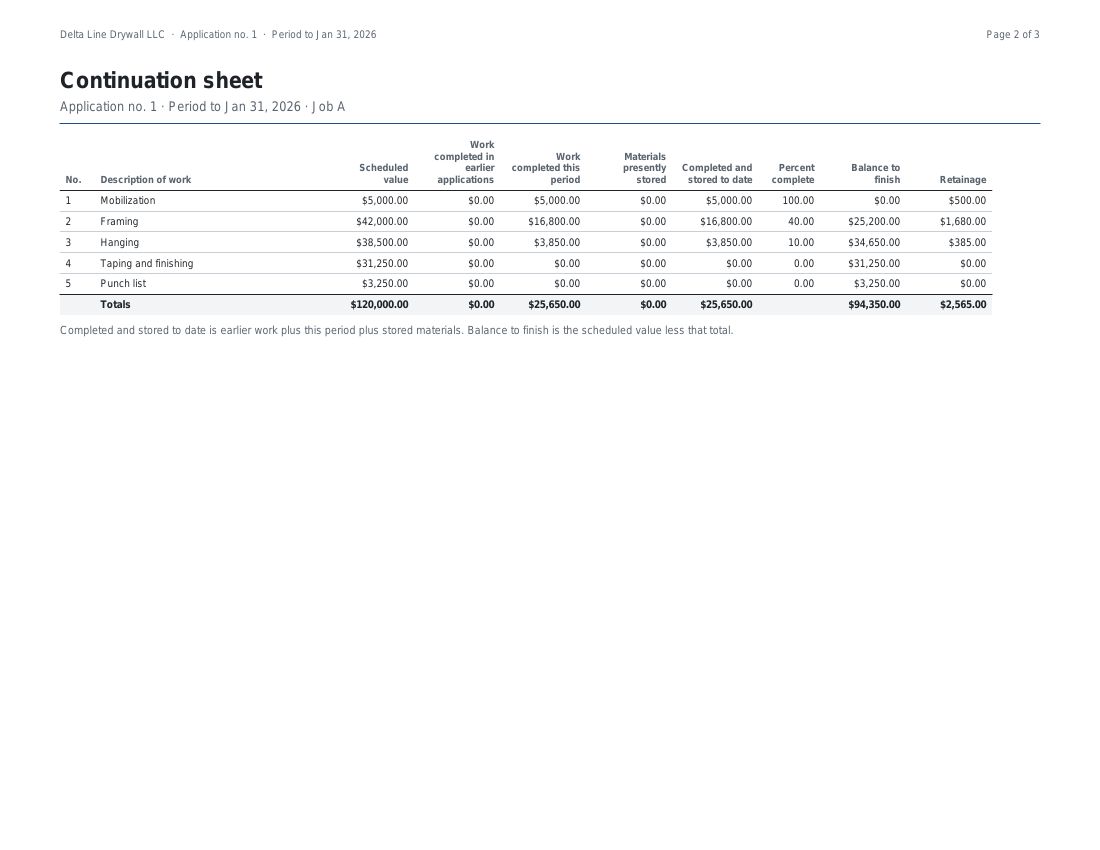
A drywall sub has a $120,000 contract at a flat 10%. By the third pay app, for the period to March 31, 2026, every line reaches 100%. This is the whole sheet.
| Line | Scheduled value | From earlier apps | This period | Stored now | Total to date | % | Balance to finish | Retainage |
|---|---|---|---|---|---|---|---|---|
| 1 Mobilization | 5,000.00 | 5,000.00 | 0.00 | 0.00 | 5,000.00 | 100.00 | 0.00 | 500.00 |
| 2 Framing | 42,000.00 | 37,800.00 | 4,200.00 | 0.00 | 42,000.00 | 100.00 | 0.00 | 4,200.00 |
| 3 Hanging | 38,500.00 | 26,950.00 | 11,550.00 | 0.00 | 38,500.00 | 100.00 | 0.00 | 3,850.00 |
| 4 Taping and finishing | 31,250.00 | 6,250.00 | 25,000.00 | 0.00 | 31,250.00 | 100.00 | 0.00 | 3,125.00 |
| 5 Punch list | 3,250.00 | 0.00 | 3,250.00 | 0.00 | 3,250.00 | 100.00 | 0.00 | 325.00 |
| Totals | 120,000.00 | 76,000.00 | 44,000.00 | 0.00 | 120,000.00 | 0.00 | 12,000.00 |
Read it one row at a time.
- Mobilization. Billed in full in January, so nothing is added this period. It stays on the sheet with its $500.00 held, because every line of the schedule of values is printed whether or not it moved.
- Framing. The $37,800.00 from earlier apps is the $16,800.00 of January and the $21,000.00 of February. The last $4,200.00 closes the line and brings its retainage to $4,200.00.
- Hanging. $26,950.00 was billed before; $11,550.00 finishes the $38,500.00 line, with $3,850.00 held.
- Taping and finishing. The big month for this line: $25,000.00 on top of $6,250.00 brought forward.
- Punch list. Its first and last billing in one go, $3,250.00, with $325.00 held.
- Totals row. The earlier-apps total, $76,000.00, is the total to date of February’s sheet. That match is how a GC ties this page to the one before it.
The balance to finish is $0.00 on every row, so all the work is billed. The retainage is still held, which is why line 9 of the summary reads $12,000.00. Line 6 is $108,000.00, earlier pay apps asked for $68,400.00, and the current payment due, line 8, is $39,600.00.
Why a continuation sheet gets a pay app kicked back
A GC checks the sheet against the last one and against the summary page. Most of what comes back is arithmetic, and the engine checks each of these before a pay app is finished.
| What the GC finds | What the app does |
|---|---|
| Earlier work that differs from last month’s sheet | Fills the earlier columns from the last finished pay app, so they are not retyped |
| Stored materials billed again once installed | Moves the dollars from stored into this period’s work, and stops the pay app if more is installed than was stored |
| A line billed past its scheduled value | Warns and names the line, and still lets the pay app go out |
| Retainage a cent off the rows | Rounds each line, then adds the lines; the summary uses their sum |
| A change order buried inside an original line | Gives each change order signed by both parties its own line from the next pay app; a deduction is a negative line |
| A correction that sends a line below zero | Stops the pay app and names the line |
| A sheet that does not add up to the contract | Blocks finishing until the schedule of values equals the contract sum to date |
The engine is tested against twelve worked jobs, each figured by hand to the cent.
Getting the sheet in the app
- Paste the schedule of values from Excel or upload a CSV file; the sheet starts from those lines.
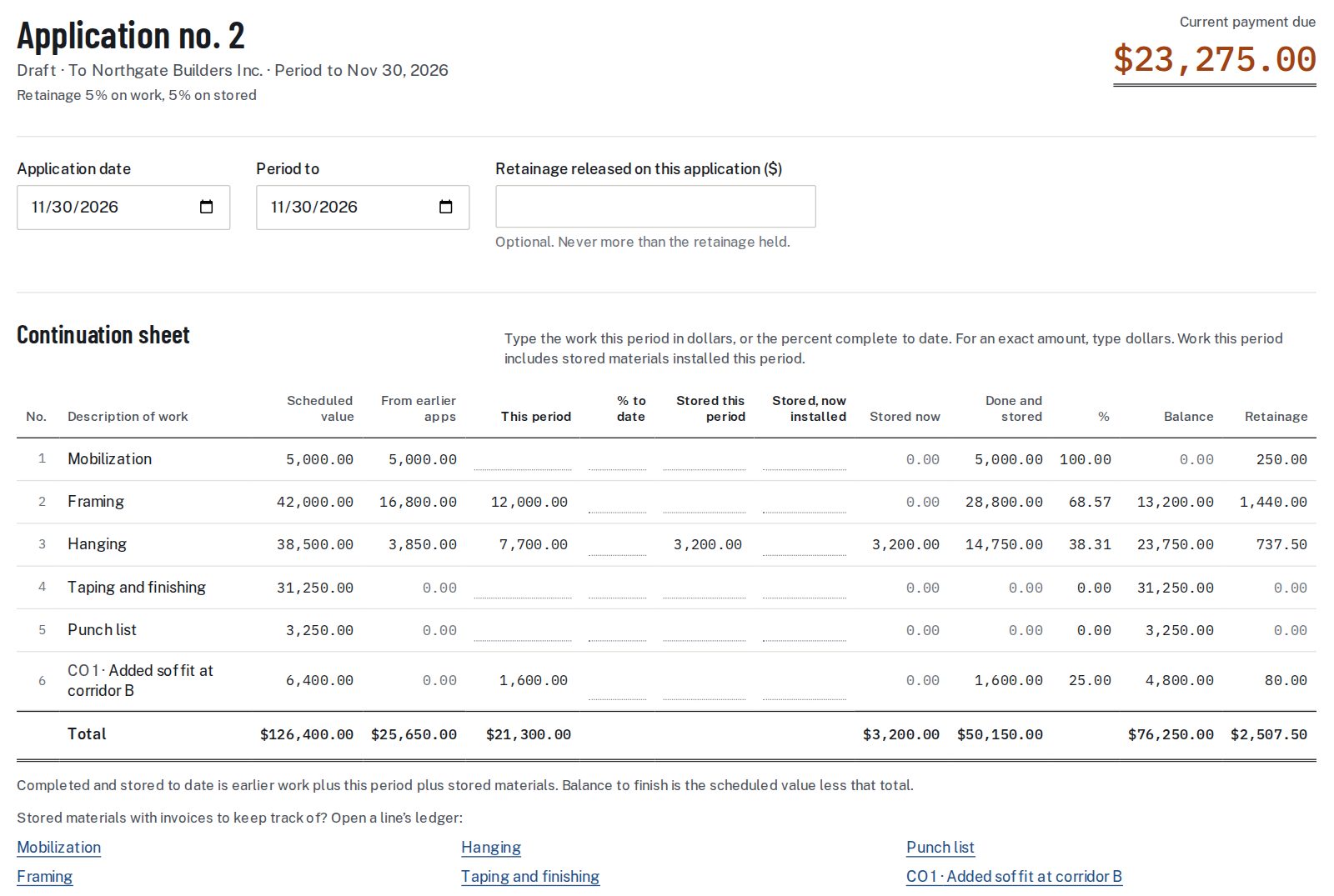
- Open the pay app and type the work for the period on each line, in dollars or as a percent complete to date.
- Enter materials delivered this period under stored this period, and materials installed under stored, now installed.
- Read the warnings, if any, beside the lines they name.
- Finish the pay app. The sheet, the summary and any backup files go into one PDF.
Continuation sheet questions
Is the continuation sheet the same as the schedule of values?
No. The schedule of values is the list of lines and their values, set once. The continuation sheet starts from those lines and adds the billing for one period, so a new sheet is made with each pay app.
Does the sheet change every month?
The lines stay the same, apart from change orders that add new ones. The earlier-work columns, this period’s work, the stored materials and the retainage change with each pay app.
What goes under materials presently stored?
Materials delivered to the site and billed but not yet installed. The figure is what was stored last time, plus new deliveries, less what was installed this period.
What happens when stored materials are installed?
The dollars move out of stored and into this period’s work on that line. The total to date on the line does not jump, because the money only changes place. The app stops the pay app if more is installed than was stored.
What if a line goes over its scheduled value?
The app warns and names the line, and still lets the pay app go out, since a change order may be on its way.
Where do change orders appear on the sheet?
Each change order signed by both parties becomes its own line from the next pay app, with its own value, percent complete and retainage. A deduction is a line with a negative value.
Can I bill a line by percent?
Yes. Type the percent complete to date and the app turns it into dollars on that line, rounded to the cent, and shows both.
How does the sheet reach the summary page?
The summary reads the totals row of the sheet for the total completed and stored and for the retainage held. Retainage is rounded on each line and the lines are added, so the two pages always agree.
Sources: FAR 52.232-5, Payments under Fixed-Price Construction Contracts.
Related guides
The lines come from the schedule of values. The held amount is explained in the retainage guide, and the page it feeds is covered in what a pay application holds. For what AIA’s own pages say about its two forms, see the guide to the two AIA forms.
The lines of a continuation sheet start from the SOV; the schedule of values examples show them for seven trades. Change orders add lines of their own, as the change order form guide shows, and the pay app template lays the same sheet out in a spreadsheet.