 Simple Pay Application
Change order form, and how a signed one reaches the pay app
A change order form records one change to the contract: what was added or taken out, the dollar amount, and the date both sides signed. Once a change order form is signed by both parties and entered in the app, it becomes a line of its own from the next pay app, and the contract sum to date moves with it.
This guide follows one concrete job through two pay apps, a $12,500.00 addition in the second and a $4,000.00 credit in the third. It shows the summary page and the continuation sheet each time, how the app treats the change order, and the places where a pay app gets kicked back over one.
What a change order form holds
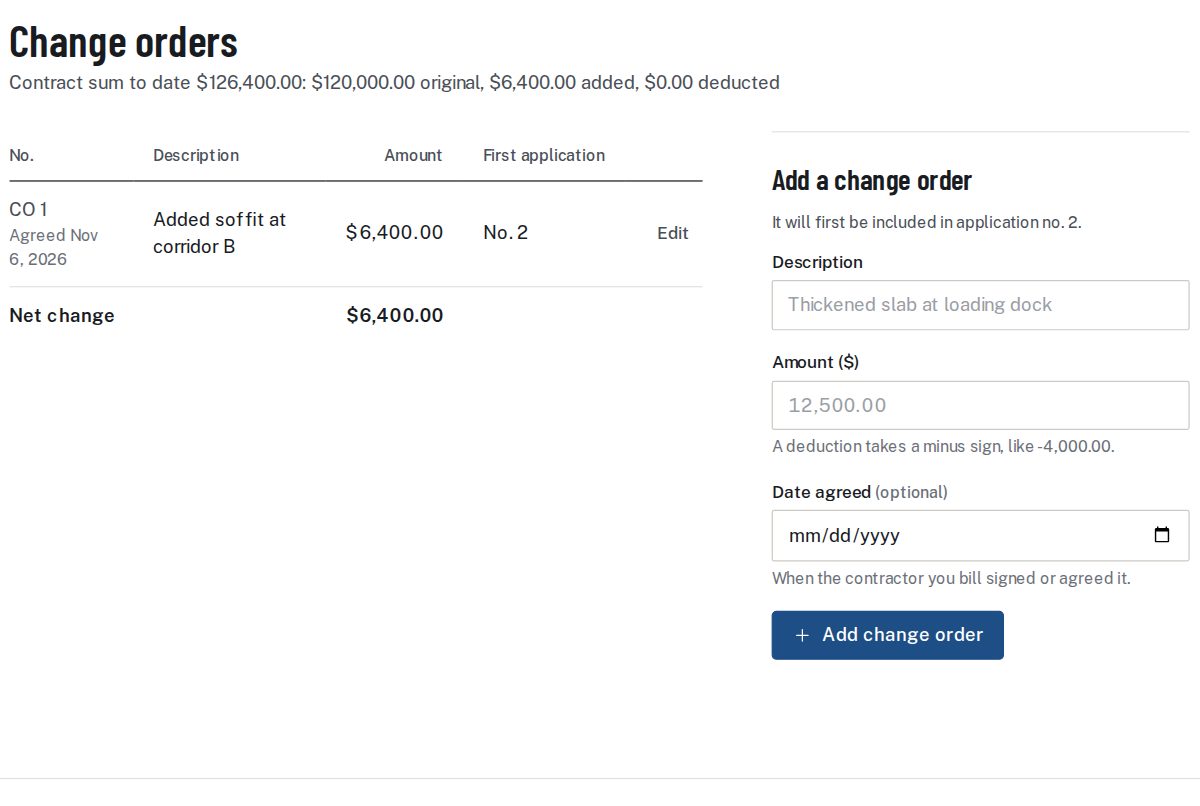
A paper change order form usually names the project and the contract, gives the change a number, describes the work added or taken out, states the price of the change and carries a signature line for each party. The contract decides the layout and the wording, and this page leaves those alone. The app needs four things from the form, and records each one on its change orders screen.
| On the form | In the app | Where it ends up |
|---|---|---|
| Change number | Numbered in order: CO 1, CO 2 and so on | A tag beside the line on the schedule of values |
| Description of the work | Up to 300 characters | The description of the new line |
| Price of the change | An amount in dollars; a minus sign makes it a deduction; $0.00 is refused | The scheduled value of the new line |
| Date signed | The date agreed, by the contractor you bill | Shown beside the number on the change orders screen |
| Signatures | Not read by the app; the form is signed on paper or in the contract's own way | A scan can go in as a backup file, a PDF, JPG or PNG up to 15 MB |
The app does not check signatures. It moves the contract sum as soon as a change order is entered, so a change order still waiting for the second signature has no place in the contract figures yet.
How a signed change order reaches the pay app
The route has the same few stops every time. Nothing is retyped between them.
- The change order form is signed by both parties.
- It is entered on the project's change orders screen, with its description, amount and date agreed. The screen only takes change orders once the schedule of values is final.
- The screen names the first pay app that will include it. That is always the next one to be made.
- The change order is added to the schedule of values as a line of its own, tagged with its number. The original lines are left as they were.
- On that pay app the new line starts with nothing billed. Work on it is entered by dollars or by percent like any other line.
- The summary page shows the additions and deductions apart, and the contract sum to date moves by the net change.
Because the contract sum to date is the original sum plus the additions less the deductions, the schedule of values still ties out after the change. The lines total and the contract sum move together by the same amount.
A worked example: two change orders on a concrete job
A concrete sub has a $160,000 contract with three lines: footings at $48,000.00, slab on grade at $96,000.00 and curbs at $16,000.00. Retainage is 10% on work. The first pay app billed the footings in full and a quarter of the slab, $72,000.00 of work, and asked for $64,800.00 after retainage.
Pay app 2: a change order that adds
After that pay app was finished, the owner asked for a thickened slab at the loading dock and both sides signed a change order for $12,500.00. It is entered as CO 1, and the app names pay app 2 as the first to include it. For the period to June 30, 2026 the sub bills $48,000.00 more on the slab, taking it to 75%, and $6,250.00 on the new line, half of its value.
| Line | Scheduled value | Earlier work | This period | Work to date | % | Balance to finish | Retainage |
|---|---|---|---|---|---|---|---|
| 1 Footings | 48,000.00 | 48,000.00 | 0.00 | 48,000.00 | 100.00 | 0.00 | 4,800.00 |
| 2 Slab on grade | 96,000.00 | 24,000.00 | 48,000.00 | 72,000.00 | 75.00 | 24,000.00 | 7,200.00 |
| 3 Curbs | 16,000.00 | 0.00 | 0.00 | 0.00 | 0.00 | 16,000.00 | 0.00 |
| 4 CO 1: Thickened slab at loading dock | 12,500.00 | 0.00 | 6,250.00 | 6,250.00 | 50.00 | 6,250.00 | 625.00 |
| Totals | 172,500.00 | 72,000.00 | 54,250.00 | 126,250.00 | 46,250.00 | 12,625.00 |
The change order shows in the scheduled value total: the lines add to $172,500.00, which is $160,000.00 plus $12,500.00. The retainage on the new line is 10% of $6,250.00, so $625.00, held at the same rate as the rest of the work.
| 1Original contract sum | $160,000.00 |
| 2Net change by change orders | $12,500.00 |
| 3Contract sum to date | $172,500.00 |
| 4Total completed and stored to date | $126,250.00 |
| 5Retainage held | $12,625.00 |
| 6Total earned less retainage | $113,625.00 |
| 7Less previous applications | $64,800.00 |
| 8Current payment due | $48,825.00 |
| 9Balance to finish, including retainage | $58,875.00 |
The change order table beside the summary reads $0.00 added and $0.00 deducted for earlier pay apps, and $12,500.00 added and $0.00 deducted for this one. Line 9 checks against line 3: $172,500.00 less the $113,625.00 earned after retainage leaves $58,875.00.
Pay app 3: a change order that deducts
Later the owner dropped the east curb and both sides signed a credit of $4,000.00. It is entered with a minus sign, as -4,000.00, and becomes CO 2. For the period to July 31, 2026 the sub finishes the slab, bills three quarters of the curbs, finishes the thickened slab line and enters the credit on its own line.
| Line | Scheduled value | Earlier work | This period | Work to date | % | Balance to finish | Retainage |
|---|---|---|---|---|---|---|---|
| 1 Footings | 48,000.00 | 48,000.00 | 0.00 | 48,000.00 | 100.00 | 0.00 | 4,800.00 |
| 2 Slab on grade | 96,000.00 | 72,000.00 | 24,000.00 | 96,000.00 | 100.00 | 0.00 | 9,600.00 |
| 3 Curbs | 16,000.00 | 0.00 | 12,000.00 | 12,000.00 | 75.00 | 4,000.00 | 1,200.00 |
| 4 CO 1: Thickened slab at loading dock | 12,500.00 | 6,250.00 | 6,250.00 | 12,500.00 | 100.00 | 0.00 | 1,250.00 |
| 5 CO 2: Delete east curb (credit) | -4,000.00 | 0.00 | -4,000.00 | -4,000.00 | 100.00 | 0.00 | -400.00 |
| Totals | 168,500.00 | 126,250.00 | 38,250.00 | 164,500.00 | 4,000.00 | 16,450.00 |
The credit is a negative line, and every figure on it is negative with it: the work to date is -$4,000.00 and the retainage is -$400.00, so the credit lowers the amount held by the same 10%. The curbs line is left at $16,000.00. The reduction is carried by CO 2, which keeps the history readable: the GC can see the original line, the change and the date it was agreed.
| 1Original contract sum | $160,000.00 |
| 2Net change by change orders | $8,500.00 |
| 3Contract sum to date | $168,500.00 |
| 4Total completed and stored to date | $164,500.00 |
| 5Retainage held | $16,450.00 |
| 6Total earned less retainage | $148,050.00 |
| 7Less previous applications | $113,625.00 |
| 8Current payment due | $34,425.00 |
| 9Balance to finish, including retainage | $20,450.00 |
The change order table now splits the two. Earlier pay apps carry $12,500.00 added and $0.00 deducted, and this pay app carries $0.00 added and $4,000.00 deducted. Net of the two, line 2 reads $8,500.00 and line 3 is $168,500.00, which is again the total of the scheduled values.
The terms on a change order, and the arithmetic behind each
| Term | What it is | How it is worked out |
|---|---|---|
| Change order number | The place of the change in the project's history | The highest number so far plus one |
| Amount | What the change adds or takes off the contract | Positive for an addition, negative for a deduction; never zero |
| Date agreed | The day the contractor you bill signed or agreed it | Typed in; it moves no figure |
| First pay app | The pay app that first carries the line | The number of the next pay app to be made when the change order is entered |
| Net change (line 2) | How far the contract has moved from its original sum | All additions less all deductions |
| Contract sum to date (line 3) | The contract as it stands now | Line 1 plus line 2 |
| Earlier and this pay app | The two halves of the change order table | Change orders whose first pay app came before this one, and those whose first pay app is this one |
Why a change order gets a pay app kicked back
A GC reads the summary against the last pay app and the signed change orders in the file. These are the usual mismatches, and what the app does about each.
| What the GC finds | What the app does |
|---|---|
| The change folded into an original line | Gives the change order its own line, so the original value stays as it was |
| A contract sum to date that did not move | Adds the net change to the original sum on every pay app from the first one that includes it |
| A credit shown as a positive number or left out | Takes a deduction as a negative amount and carries it as a negative line |
| Earlier and current change orders run together | Shows the earlier ones and this pay app's apart, each with its additions and deductions |
| A line billed past its value while the change order is pending | Warns and names the line, and still lets the pay app go out |
| A change order edited after the pay app went out | Keeps a finished pay app frozen; a revision makes a new version |
The engine is tested against twelve worked jobs, to the cent, and two of them are the pay apps above.
Fixing a change order
Until the pay app that first includes it is made final, a change order can be edited or removed on the change orders screen. After that, its line is locked, and a correction goes in as a new change order. In the example, a $500.00 slip on CO 1 found after pay app 2 went out would be answered with a CO 3 of the difference, positive or negative, and the history would show all three.
Adding a change order here
- Finish the schedule of values; change orders are added to a final schedule.
- Open the project's change orders screen and choose Add or edit.
- Type the description, the amount (with a minus sign for a deduction) and the date agreed.
- Read the note that names the first pay app to include the change order.
- Bill the new line on that pay app, by dollars or by percent, and check the change order table on the summary.
From there the change order is part of each pay application. Its row sits on the continuation sheet under the original lines, and its value is part of the schedule of values total.
Change order questions
What does a change order form hold?
Usually the project and contract, a number for the change, a description of the work added or taken out, the price of the change and a signature line for each party. The app records the number, description, amount and the date agreed.
When does a change order show up on the pay app?
From the next pay app. The change orders screen says which one when the change order is added, and the new line starts with nothing billed.
How do I enter a deduction?
Type the amount with a minus sign, for example -4,000.00. The change order becomes a negative line on the schedule of values and on the continuation sheet, and its retainage is negative too.
Does the app check that both parties signed?
No. It records a change order when you enter it, and the contract sum to date moves at once. The date agreed field holds the day the contractor you bill signed or agreed it.
Can I change a change order after entering it?
Until the pay app that first includes it is made final, yes: it can be edited or removed. After that its line is locked, and a correction is entered as a new change order.
Where do change orders appear on the summary page?
Line 2 shows the net change and line 3 the contract sum to date. A small table beside the summary shows the additions and deductions apart, for earlier pay apps and for this one.
Can the signed form go with the pay app?
Yes, as a backup file. Attachments are PDF, JPG or PNG files up to 15 MB each, and they go into the same PDF as the pay app.
Does a change order have its own retainage rate?
No. The new line carries retainage at the project's rates like any other line, rounded on the line and added to the rest.
Sources: FAR 52.232-5, Payments under Fixed-Price Construction Contracts.
Related guides
Retainage on a change order line follows the same rules as on any other line, covered in the retainage guide. The method behind billing line by line is laid out in AIA billing in plain terms.